Connect the World Air Quality Index to Claude, ChatGPT, Gemini or any other AI assistant that supports MCP. Ask about the current AQI, pollutants and forecasts for more than 500,000 stations, and get answers based on real-time data, with credit to the source agencies. You just sign in with your own API token to get the full access to our data.
Example answers
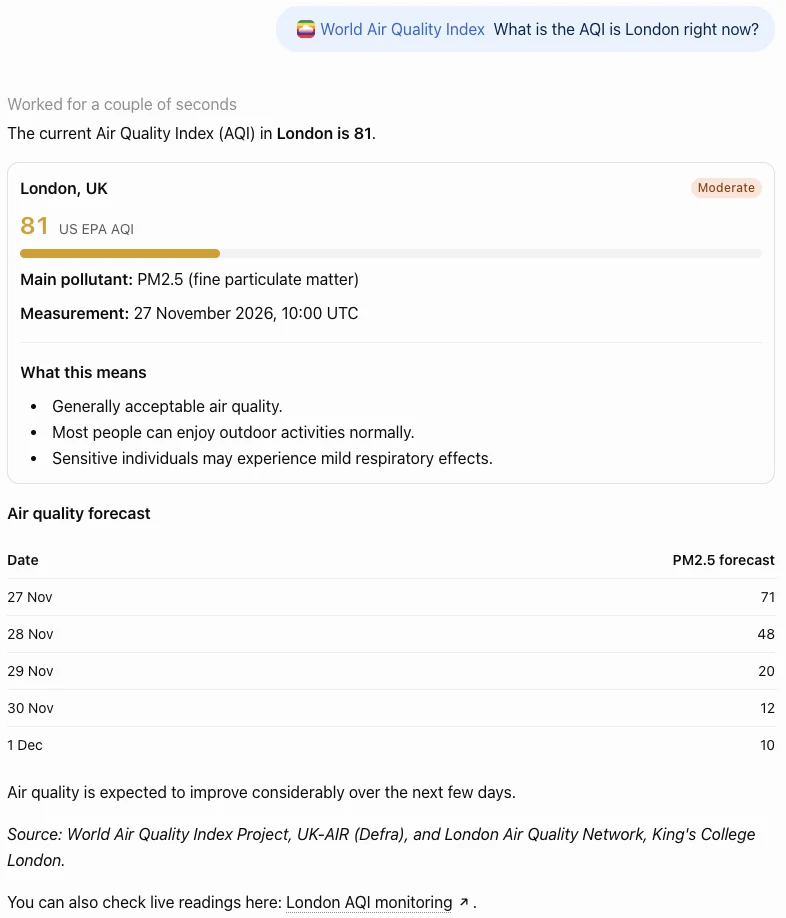
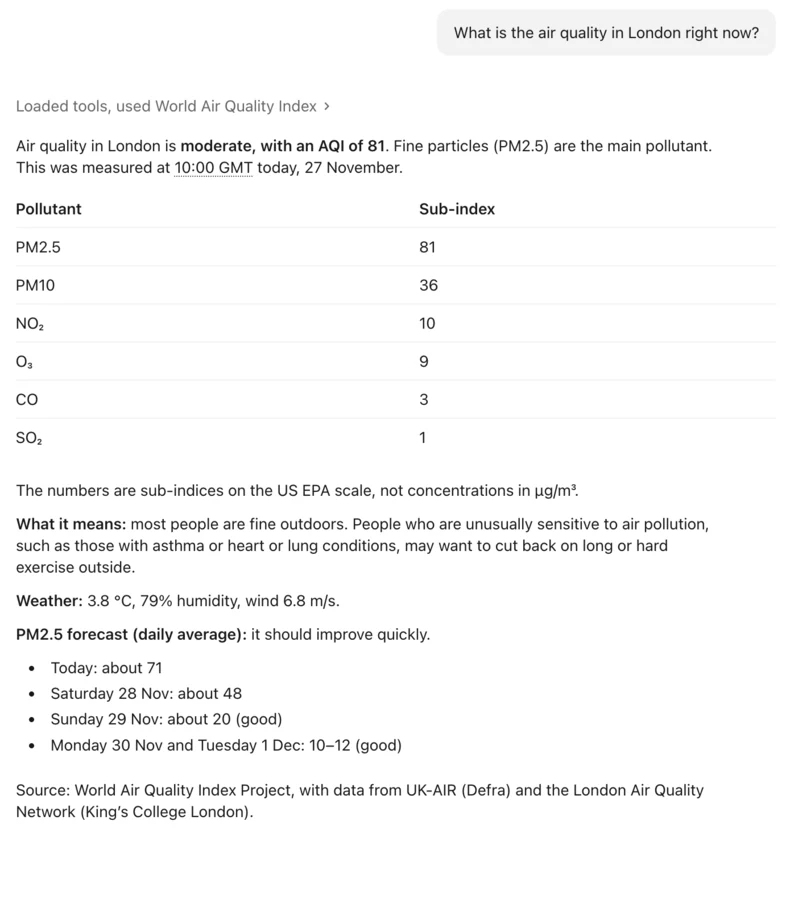
Connect from ChatGPT
- In ChatGPT, open Plugins in the sidebar, click Add, then Add custom MCP server:

- Name it World Air Quality Index and paste the URL under Connection. Keep OAuth as the authentication, tick I understand and want to continue and click Create as a plugin:
https://mcp.aqicn.org/claude
- In the dialog that opens, click Connect:

- ChatGPT opens the aqicn.org sign-in page. Paste your API token and click Connect:

Connect from claude.ai
aqicn is not in Claude's connector directory yet, so you add it as a custom connector:
- Click Connect to Claude below. It copies the server URL and opens Claude's connector settings. There, click Add, then Add custom connector:

- Name it World Air Quality Index, paste the URL and click Continue, then Add:
https://mcp.aqicn.org/claude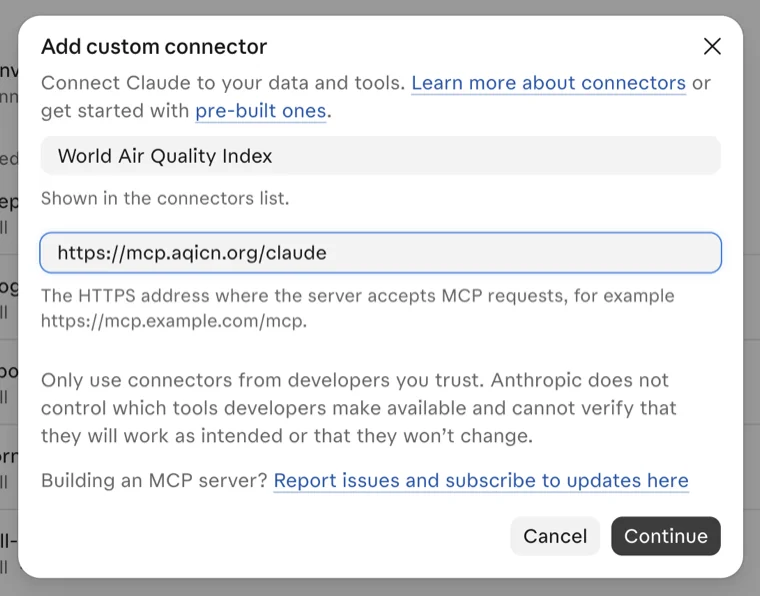
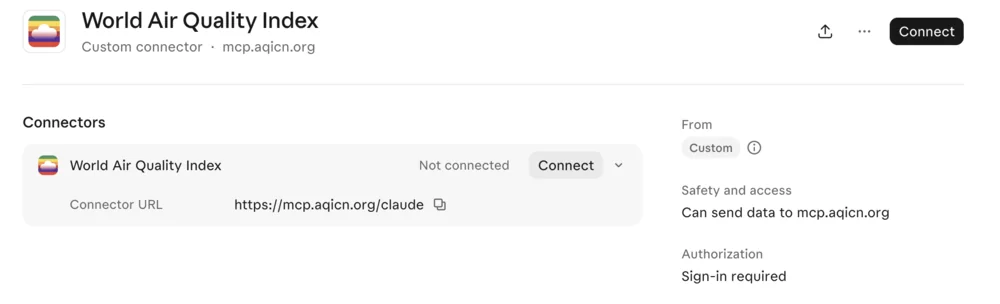
- Click Connect, then paste your API token on the sign-in page.
Connect from Claude Code
With Claude Code, run this, then /mcp → aqicn → Authenticate:
claude mcp add --transport http aqicn https://mcp.aqicn.org/claude
You can disconnect at any time from Claude's connector settings (or claude mcp remove aqicn).
Other AI assistants
Any AI assistant or app that supports remote MCP servers with sign-in (OAuth) can connect, for example Gemini CLI, Cursor or VS Code. Add a remote MCP server with this URL, then sign in with your API token:
https://mcp.aqicn.org/claudeNeed other APIs? Check the full list of APIs supported by the World Air Quality Index project.